
This page only covers the interactive mode. (ai)
To learn more about the guard-railed automation mode look into the documentation page. (ac-ops)
Human-in-the-Loop AI assistant for Linux and FreeBSD
- Terminal-native workflow for Linux/FreeBSD admins
- Human-in-the-Loop: commands are proposed + explained, run only after confirmation
- Curated admin references + local context system for consistent troubleshooting
Curated Knowledge Base
Depending on the OS it is running on, it switches to one of these specific knowldedge bodies:
Depending on the topic which is being discussed, it activates knowledge about:
4-Layer Local Context System (stored locally)
1. Dialogue history (session context)
Automatically managed. Keeps the current conversation coherent, even across shell sessions.
3. Background context (environment facts)
User managed. Stable environment facts and constraints to avoid re-discovery (paths, service names, distro, conventions, policies).
2. Topic context (task-scoped context)
User managed. Current task focus across many steps.
4. Long-term context (persisted learnings)
Automatically managed. Saves durable notes that remain useful later (e.g., "this host uses nftables"). Each memorization is announced and memory can be cleared at any time.
Samples:
Background: "logs shipped to journald only, not in /var/log" or "app lives in /opt/acme/app/current"
Topic: "This incident is about: 502 error on nebula-three after last deploy."
Result: next command suggestions use the correct paths/services immediately
All context information is stored locally and can be inspected and cleared at any time.
Natural Language Input
Describe tasks in everyday language directly in your shell. Admin Companion proposes commands and explains them - execution only after explicit confirmation.
Security & Control
No unattended execution. Every command passes through an isolated security layer in the client and require your explicit confirmation.
Script Generation
Generate custom shell scripts tailored to your system environment. Whether user management, service control, or recurring tasks: you save time, reduce errors, and receive clean, documented code you can adapt at any time.
Error Analysis
Admin Companion helps identify root causes and proposes fixes step by step. You review and confirm each command before it runs.
Configuration Check
Detect faulty settings and get suggested corrections you can review and apply - efficiently and traceably.
Logfile Analysis
Let Admin Companion analyze system logs and generate statistics quickly. Relevant patterns are recognized immediately, allowing direct response and actionable insights.
Efficiency
Admin Companion integrates directly with the CLI, enabling seamless interaction without manual copy&paste with external chat applications. This minimizes response times, enhances efficiency, and streamlines troubleshooting.
Compatibility
Admin Companion currently is available for systems based on Debian, Ubuntu, RedHat, Fedora, and FreeBSD.
So for example: Debian, Ubuntu, Linux Mint, Kali Linux, CentOS, Rocky Linux, AlmaLinux, Raspberry PI OS, Fedora, and others.
Watch real terminal sessions
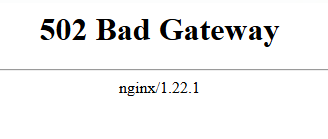
Scenario 1 — Diagnose and Fix a Web Server Error in an NGINX → Apache → Python Stack
Admin Companion analyzes your setup, diagnoses the root cause, and proposes verified fixes — step by step.
↓
User asks:
ai "Our nginx server returns an error on port 5000. Please investigate and fix."
↓

↓
Issue resolved safely — all actions confirmed before execution.
Admin Companion - Free Trial
Scenario 2: Clean Up Disk Space Safely
In another example, Admin Companion helps analyze disk usage and clean up space safely.We want to free up space on our server.
↓
User asks:
ai "Check disk usage and suggest cleanup"↓
↓
Issue resolved safely — all actions confirmed before execution.
Scenario 3: Generate Automated Backup Scripts
 Admin Companion creates the full script.
This scenario takes Admin Companion some seconds.
Scenario 4: Find and Install Missing Packages
Admin Companion knows, it's dnsutils and installs.